Setting up the Buffer API service
1 minute to set up the Buffer API service

To setup the Buffer API service go to your Buffer API settings section.
You can visit this link (https://publish.buffer.com/settings/api)
Or Access it from the UI like so
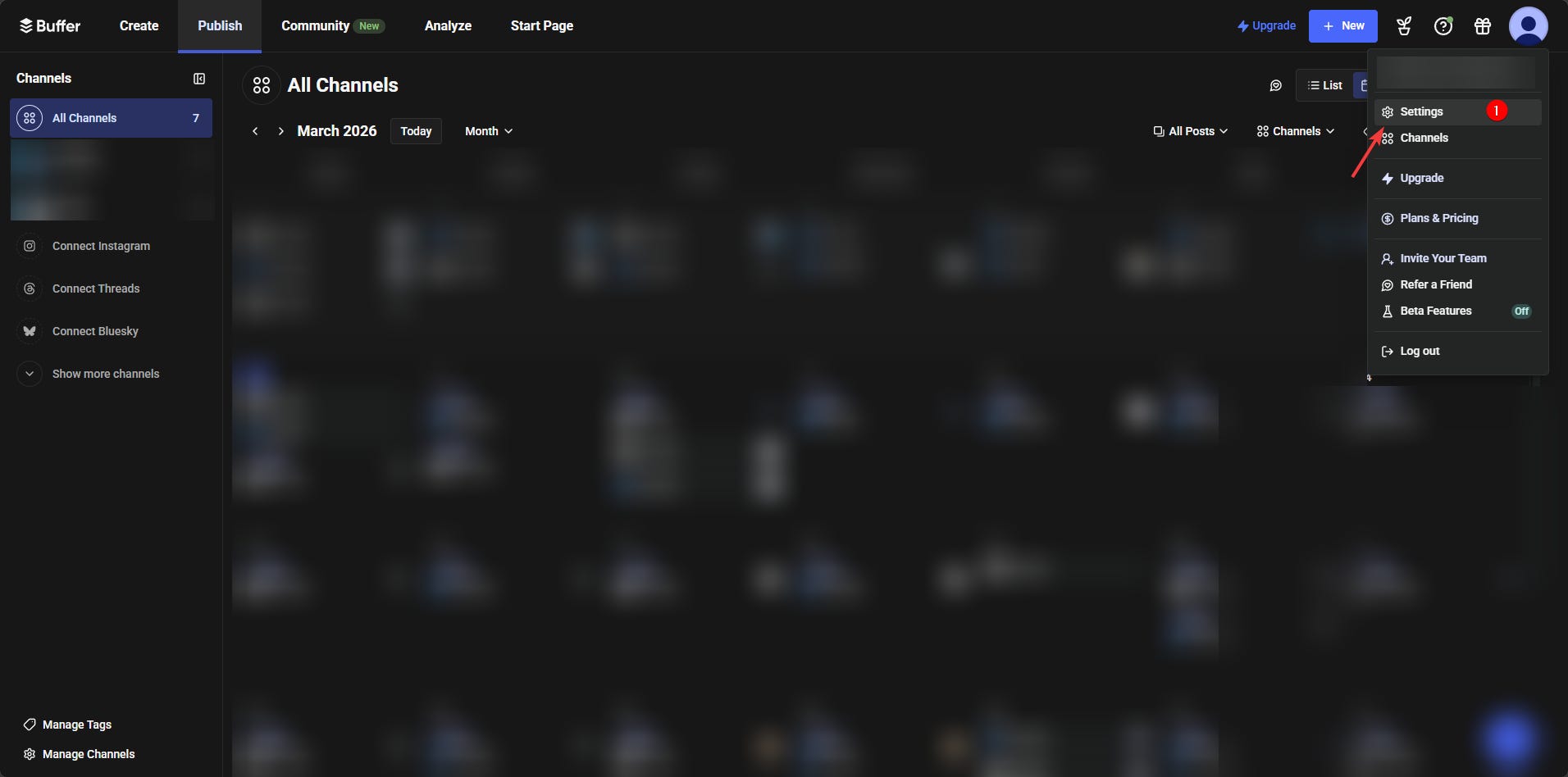
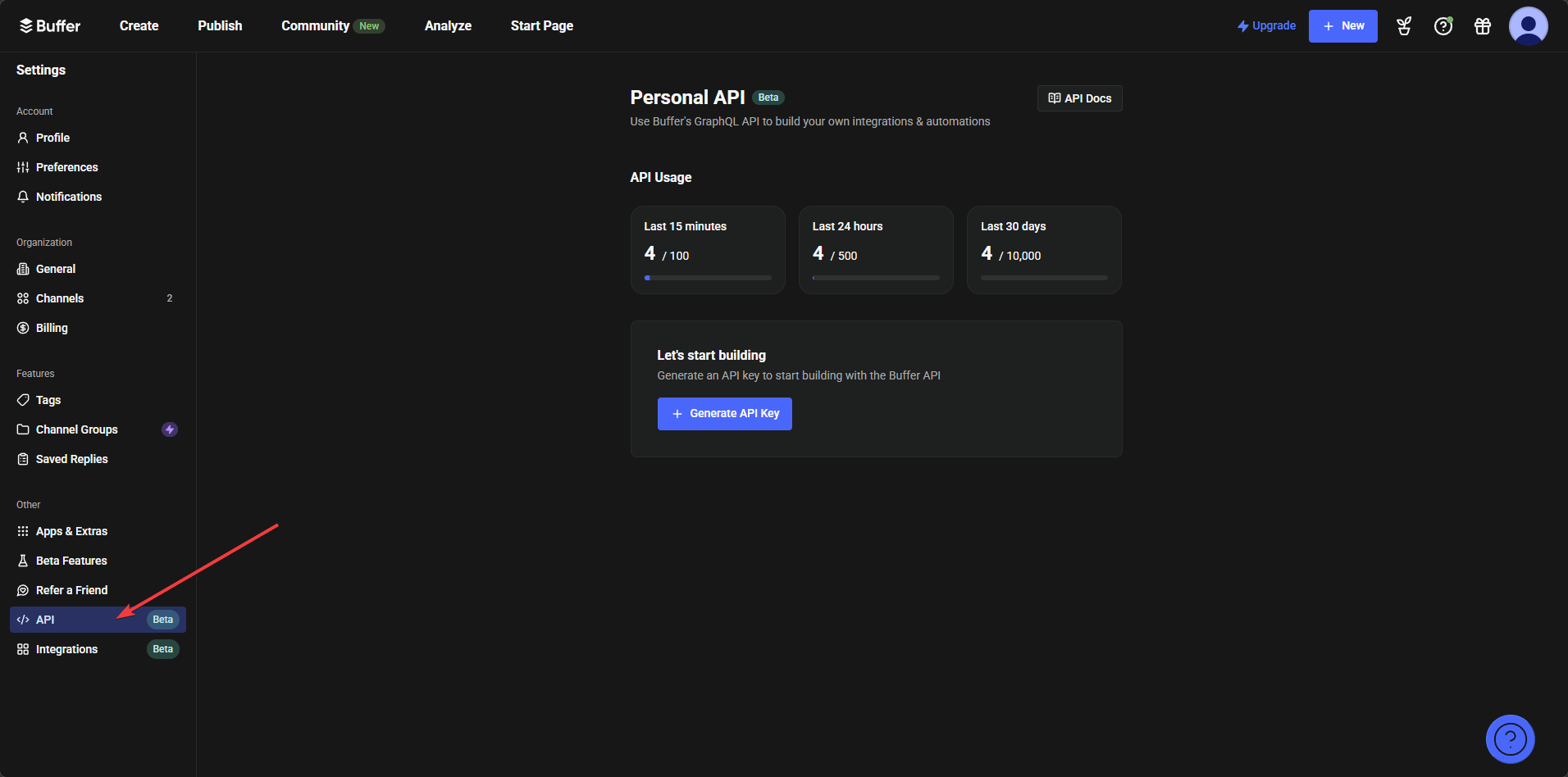
Then from their generate the API key
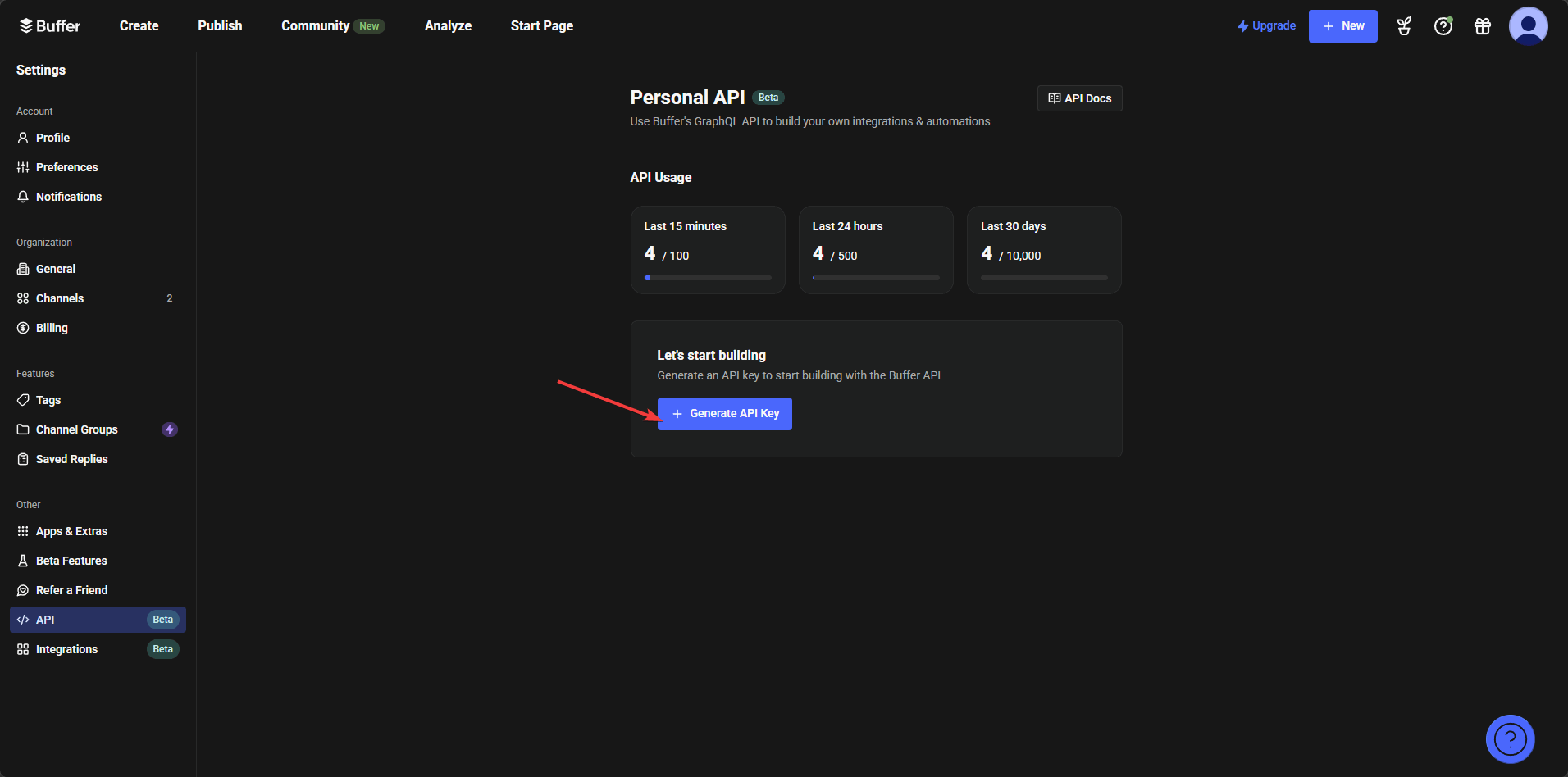
Name your API key (if you want) and add a token expiration date. I prefer to keep it on the highest expiration date possible.
After that you will be asked to copy the Buffer API access token. You will need it for everything else. You should save it on your password manager or some place secure.
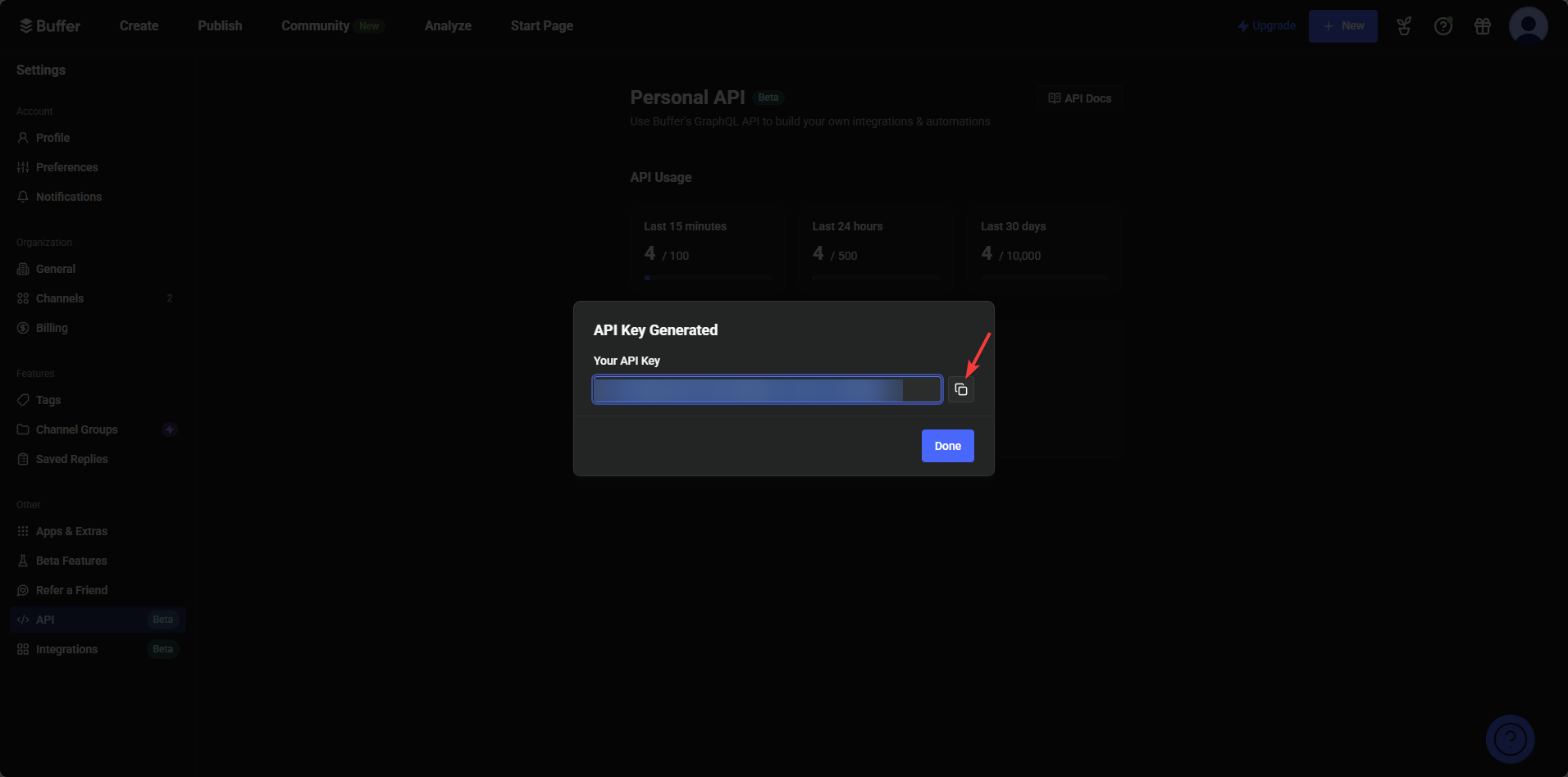
Now, after you click done you will be prompted to explore it
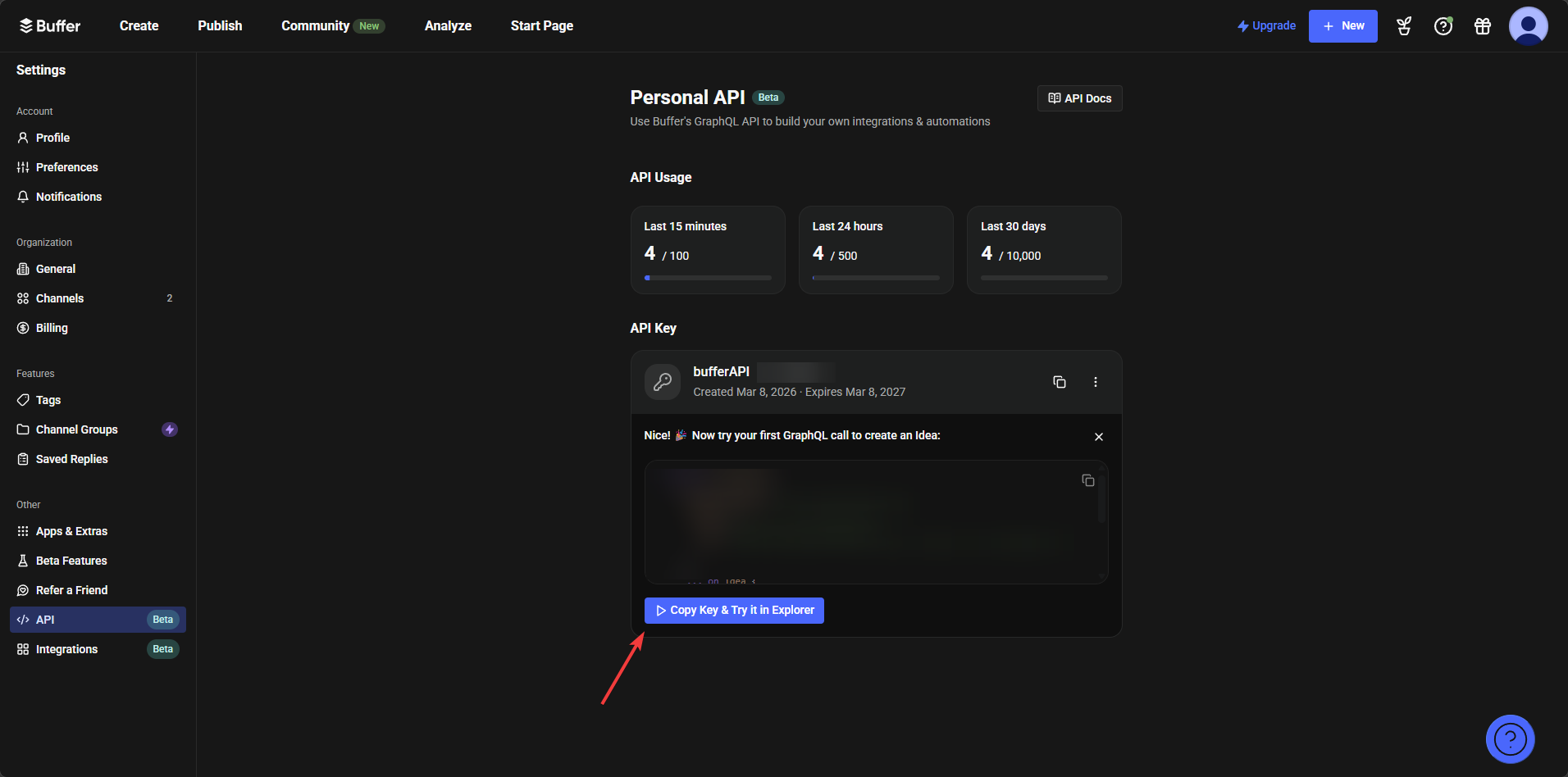
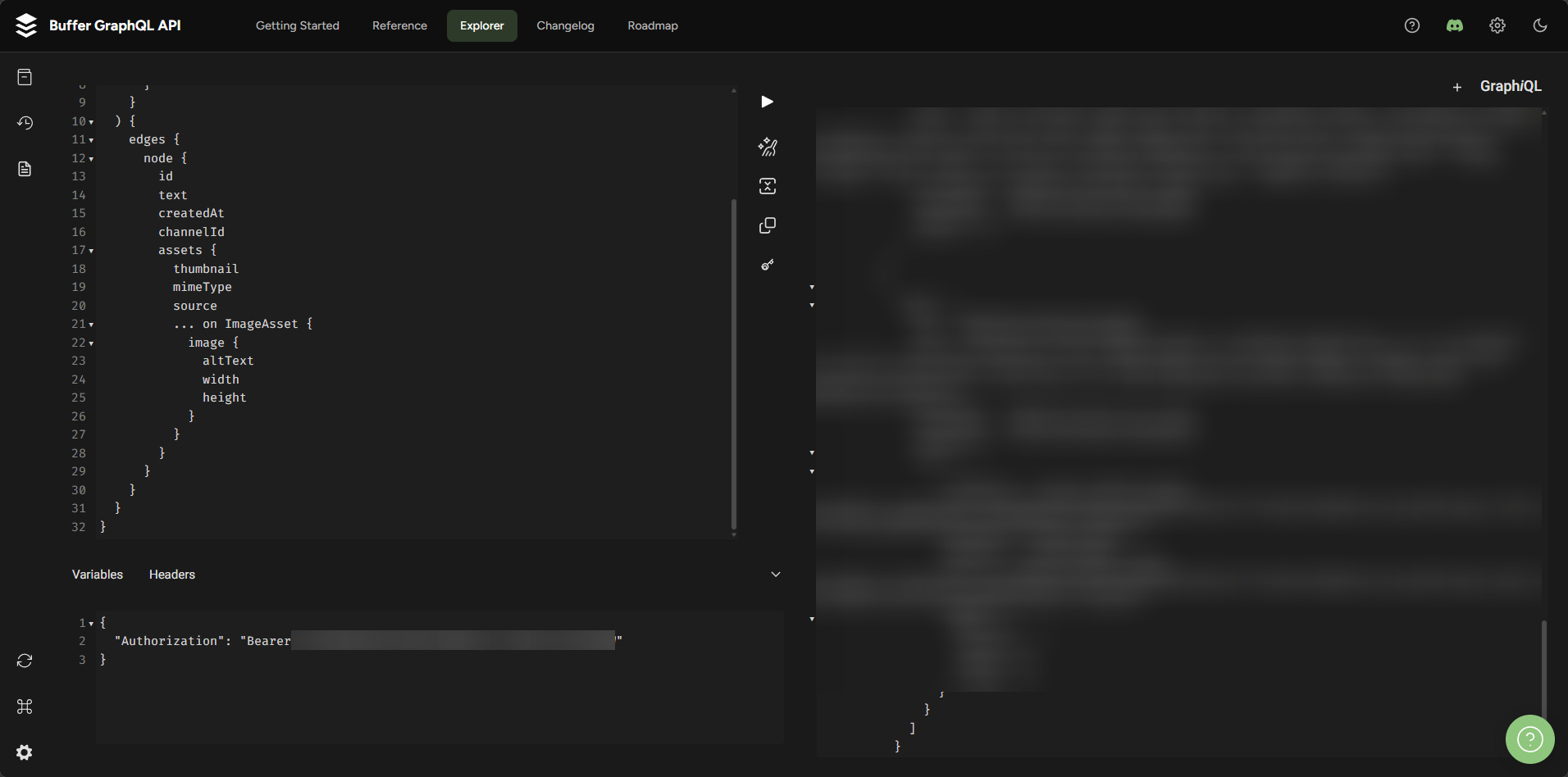
You should “Copy Key & Try it in Explorer”. There you will be asked to paste in the access token and run a command.
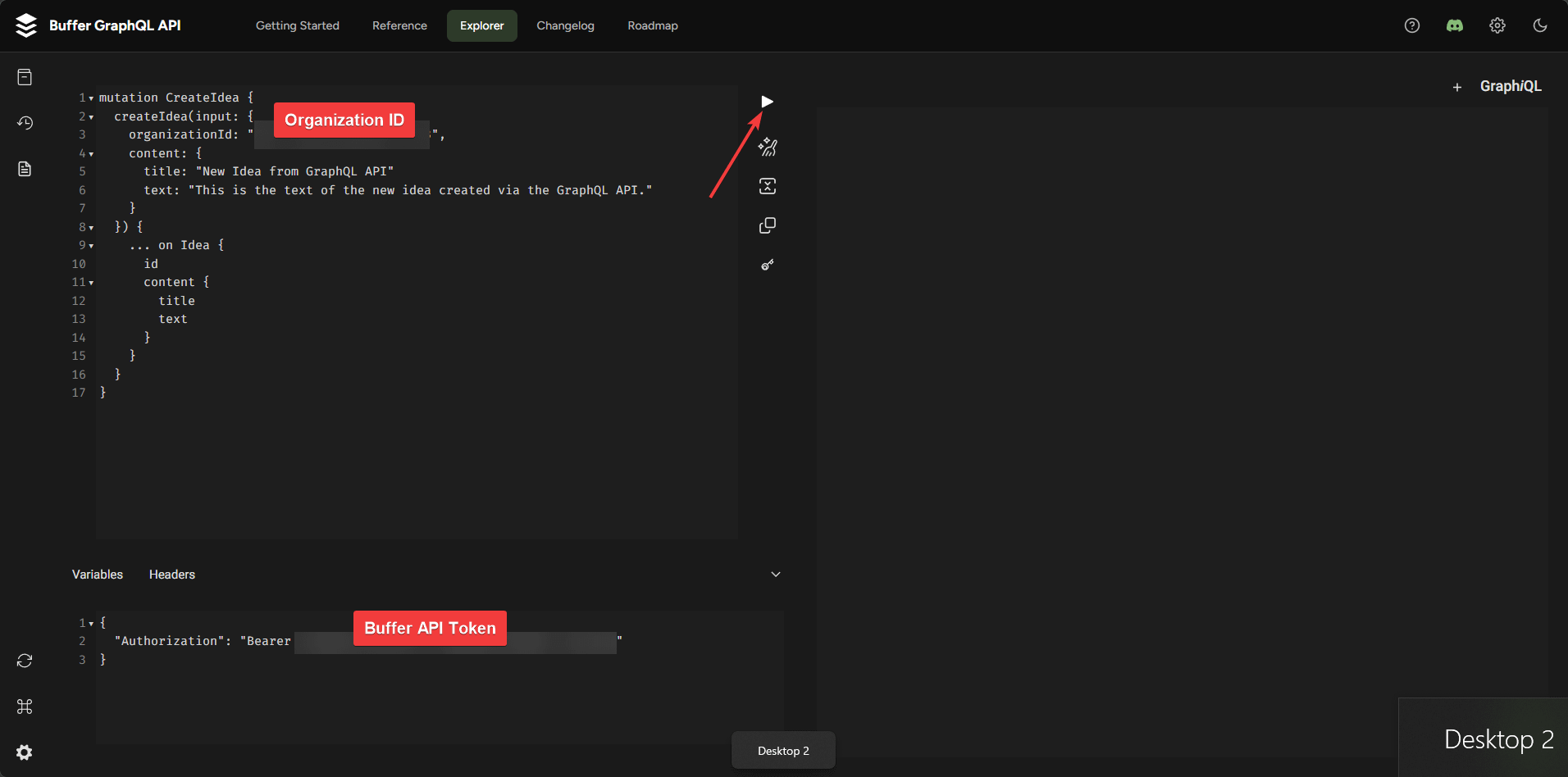
If you run the command, it will create a new idea in your create section
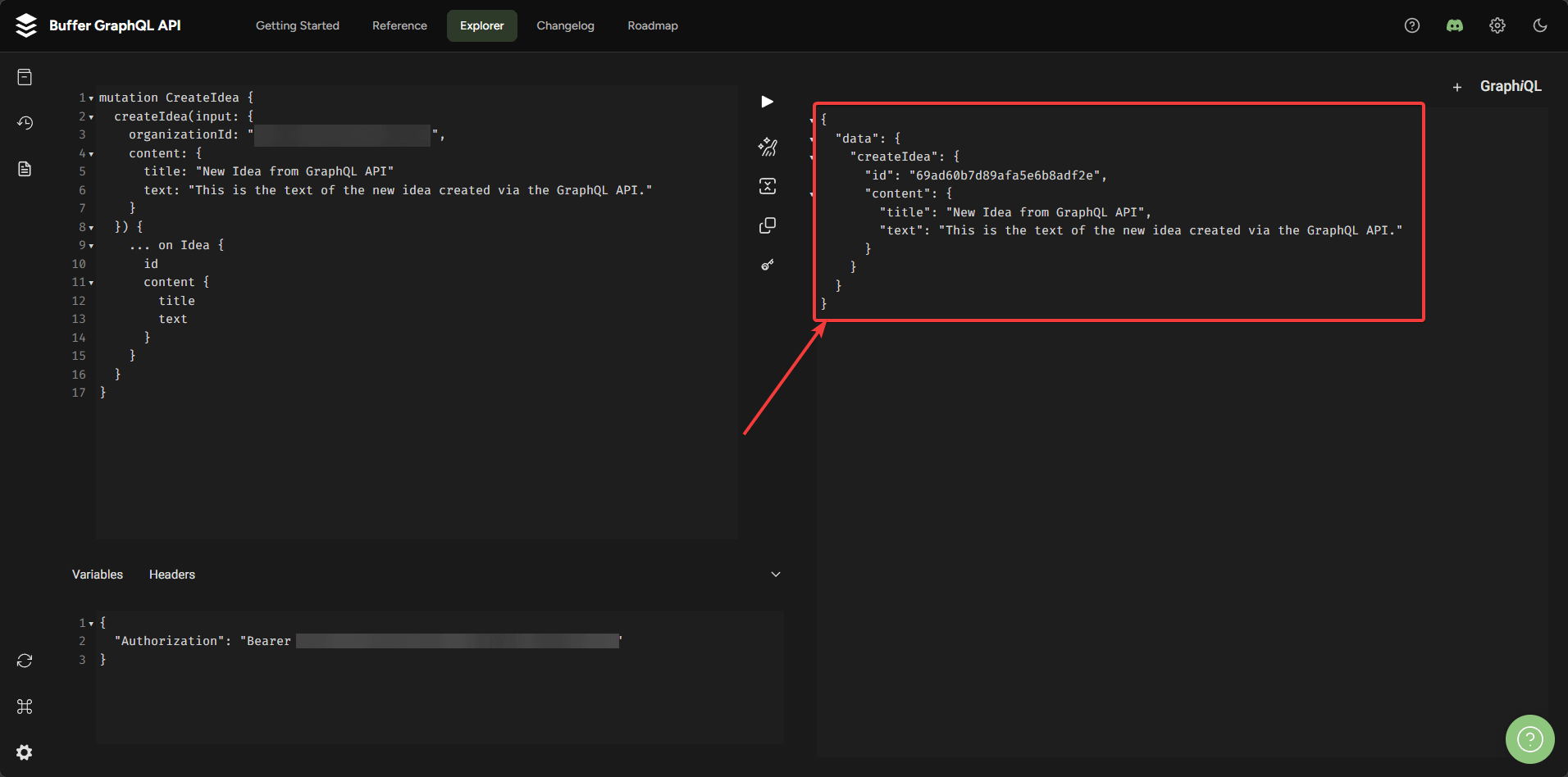
To see the idea visit: https://publish.buffer.com/create?view=board
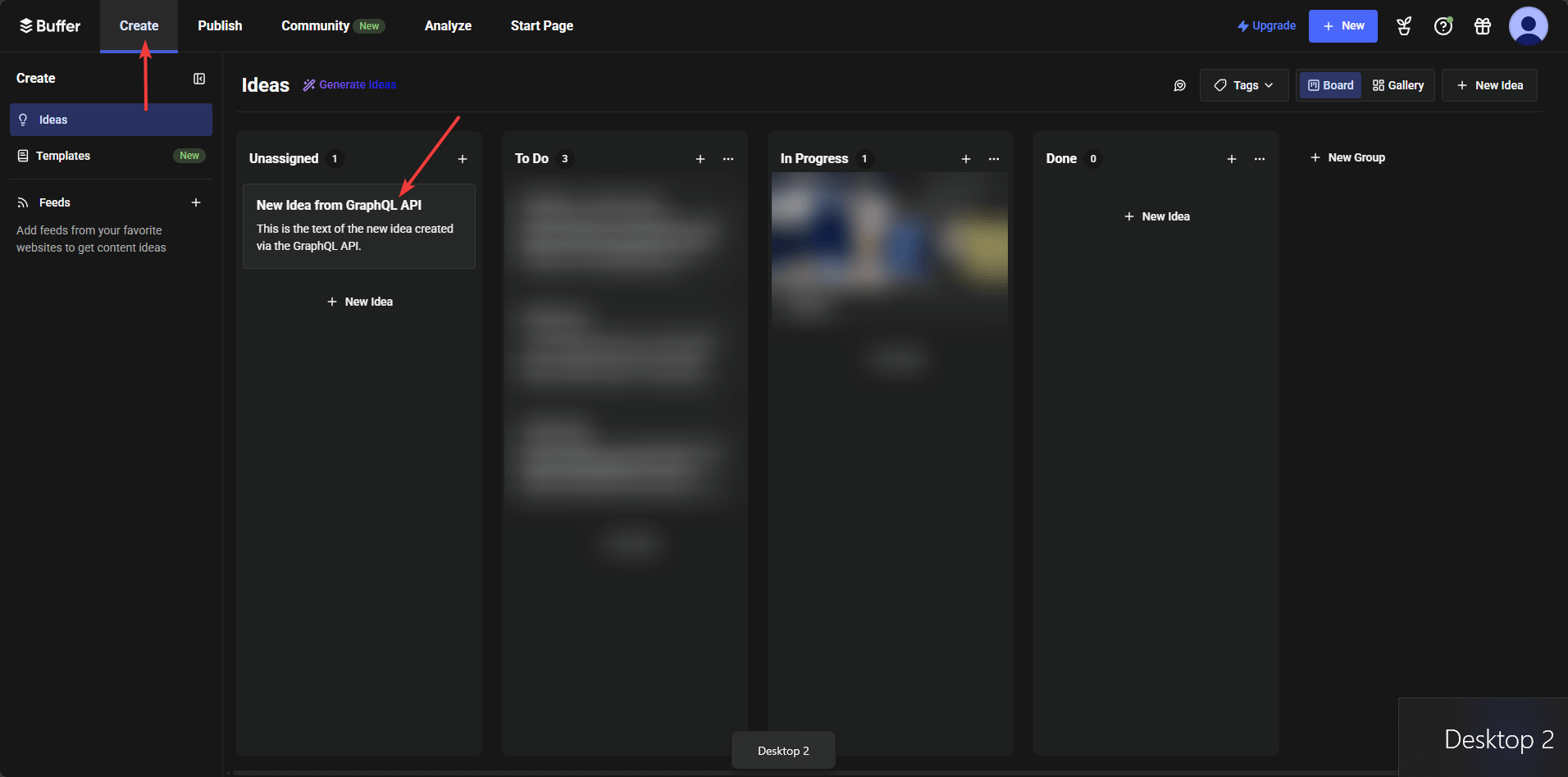
Now you have set up the Access token, you need some additional information to be useful
Organization
Account IDs
You can obtain your organization ID and channel ID through the Buffer GraphQL API.
To get your organization ID:
Make a GraphQL query to fetch your account and organizations. An example query is:
query GetOrganizations {
  account {
    organizations {
      id
    }
  }
}
This will return a list of your organizations, each with its corresponding ID.
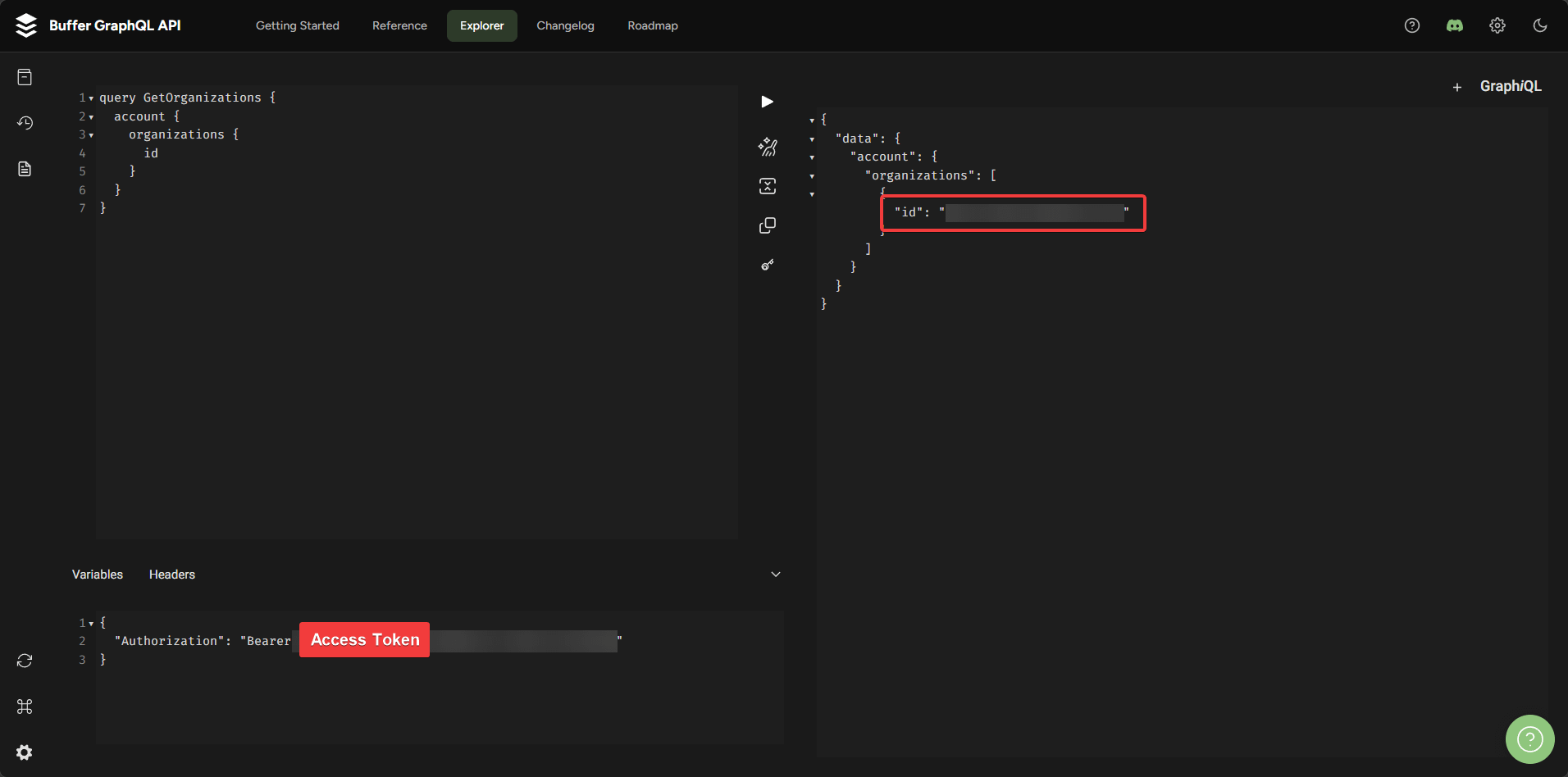
Once you have your organization ID, you can use it to fetch all channels associated with that organization. An example query for this is:
query GetChannels {
  channels(input: {
    organizationId: "some_organization_id"
  }) {
    id
    name
    displayName
    service
  }
}
This query will provide you with the channel IDs for all channels linked to your specified organization.
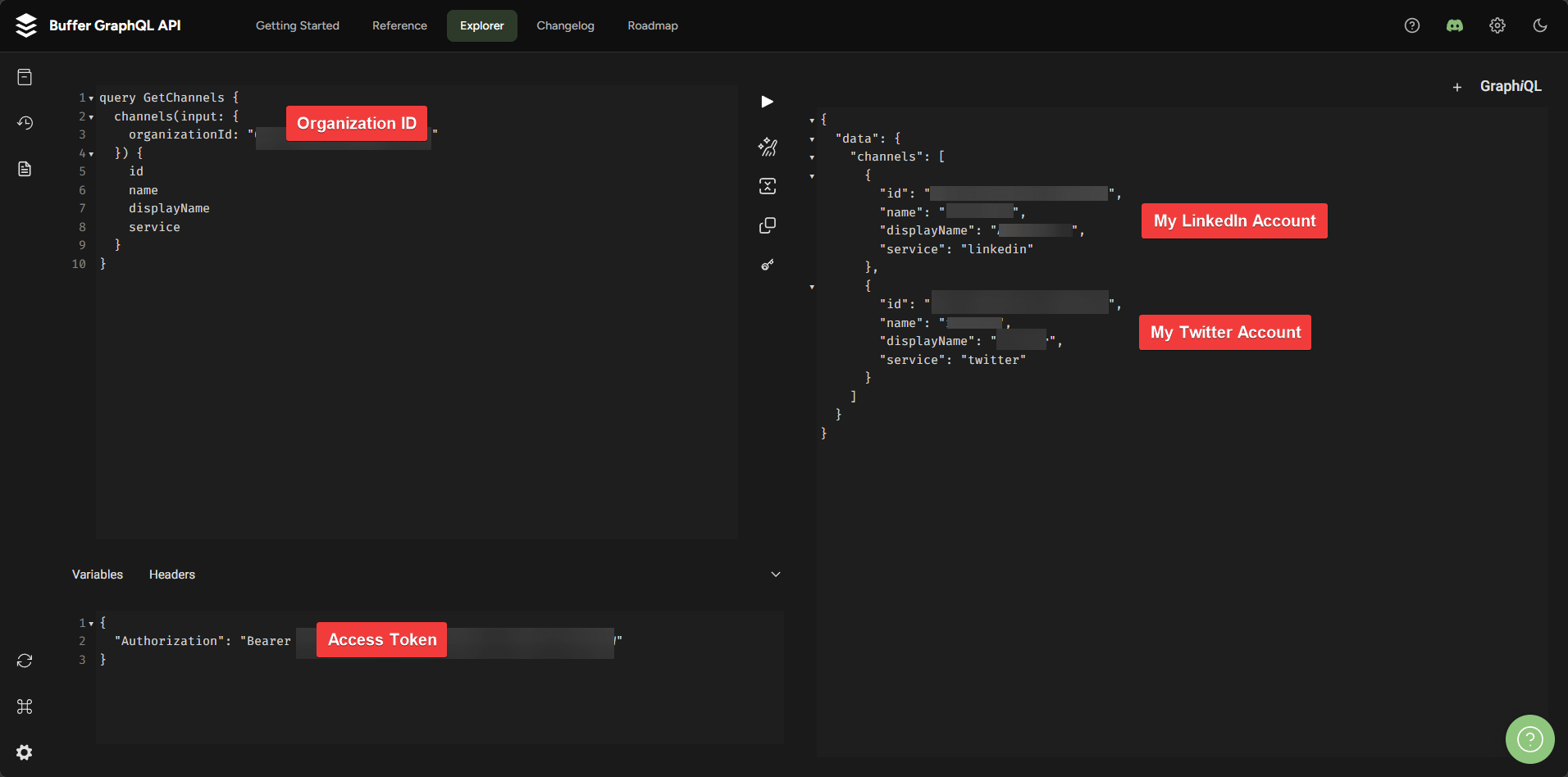
Now that you have your organization ID and account IDs. You are set to explore the API solutions Buffer has to offer. Use their AI chatbot it is quite great.
https://developers.buffer.com/guides/getting-started.html
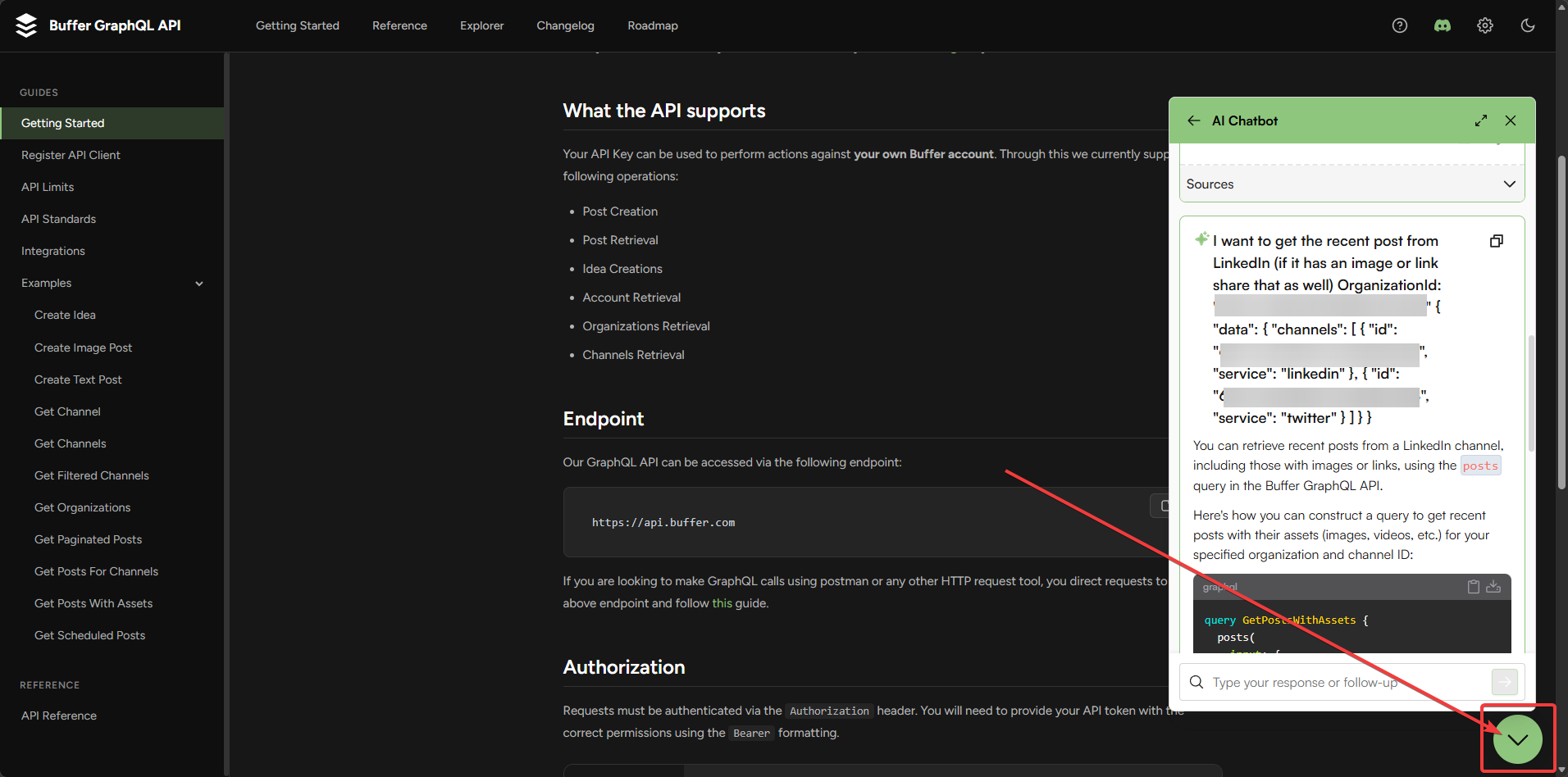
Just copy the code it shares and paste in to the explorer: https://developers.buffer.com/explorer.html
Great work by the Buffer team. As they are limited by certain API resictrioncs on different channels we can use the API as a way to build those connections ourselves.